

ZED Isaac Sim Extension Overview
This is documentation for previous versions of the Isaac Sim ZED Extension < 4.0.0.
For the most recent version, please refer to this page
The ZED Camera extension for NVIDIA® Isaac Sim enables developers to connect the ZED SDK to their virtual ZED Cameras in Isaac Sim, allowing them to seamlessly simulate ZED-based robotics applications.
Some examples of applications:
- Smart navigation, where mobile robots autonomously navigate in a virtual environment using the ZED SDK, the ZED ROS 2 wrapper, and any virtual robot rigged with the ZED X camera.
- Repeatable testing environment that makes it easier to debug and optimize applications.
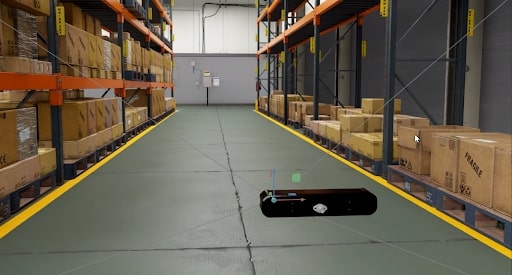
ZED Camera extension
The extension is available through the community (or third-party) tab in the NVIDIA® Isaac Sim extension manager. It includes the Omnigraph node needed to stream data and the USD model of the ZED X camera.
The extension can also be found on the official StereoLabs GitHub repository.
Get started
To connect your virtual ZED camera to the ZED SDK, you have to complete the following steps:
Step 1: Install NVIDIA® Isaac Sim
The recommended way to install Isaac Sim is to use the Omniverse launcher. You can find the installation instructions here.
Step 2: Install the ZED SDK
The ZED SDK must be installed on the machine running Isaac Sim. You can find the installation instructions here.
Step 3: Add the virtual camera to your simulation
If you haven’t already, we recommend familiarizing yourself with Isaac Sim by reading the Isaac Sim Main Concepts section of the official NVIDIA® documentation.
Then, get started with the ZED camera in Isaac Sim!
ROS 2 integration
Isaac Sim can be used to simulate robots and generate ZED data for use with ROS 2 and the ZED ROS 2 Wrapper.
Follow this guide to learn how to configure the Isaac Sim ROS 2 Bridge to send simulated information to a ZED ROS 2 Wrapper node.