

ZED Isaac™ Sim Extension Overview
ZED Isaac™ Sim Extension Overview
Build, test, and train your physical AI before the hardware even exists.
The ZED Camera extension brings faithful digital twins of every ZED camera into NVIDIA® Isaac™ Sim’s photorealistic simulation. Your simulated ZED streams data to the ZED SDK exactly like a real camera would, so the exact software you ship (perception, navigation, your ROS 2 stack) runs unchanged against the simulator. Iterate on your robot in a fully repeatable virtual world, then deploy to the field with confidence.
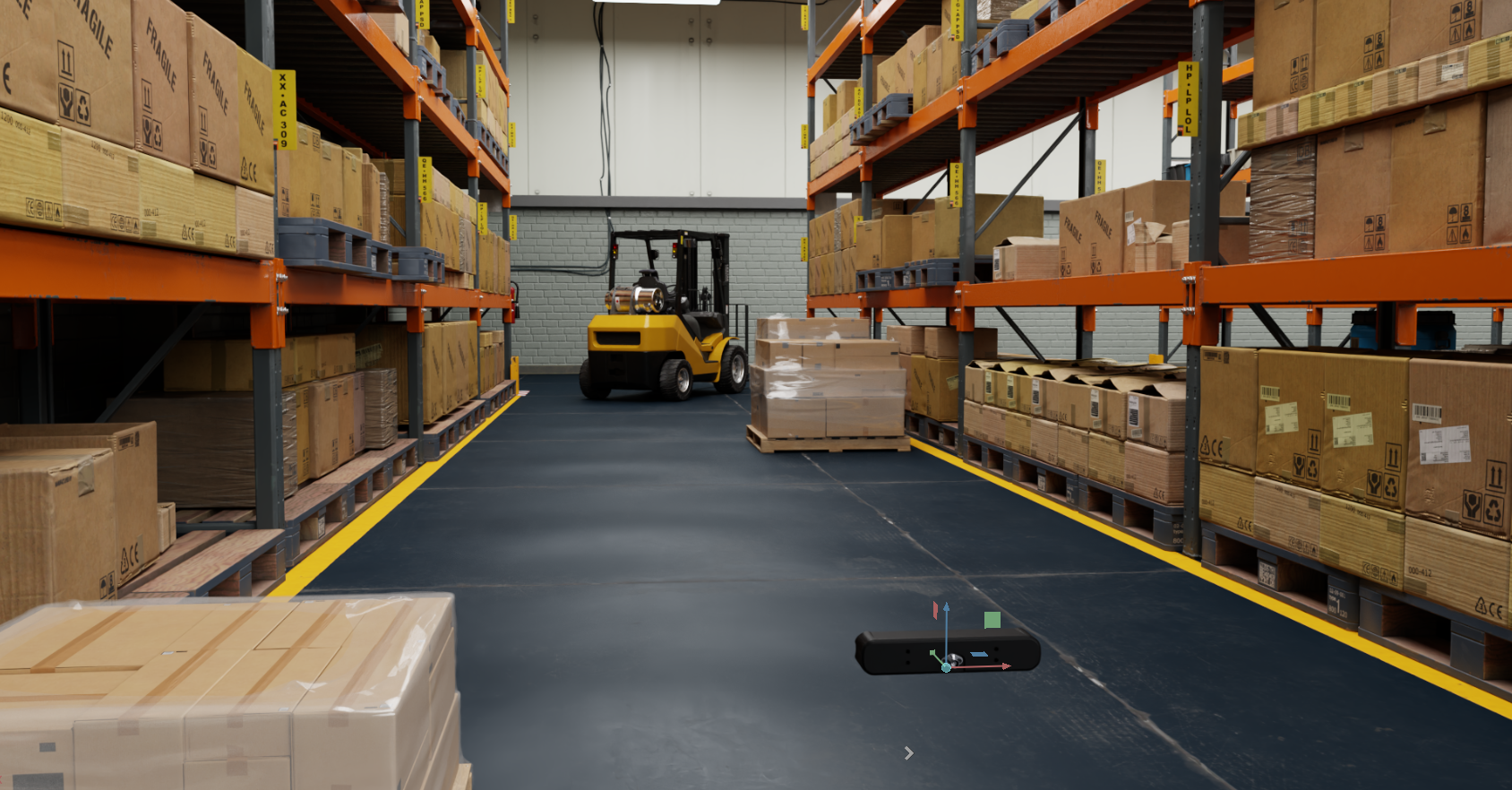
What you get:
- ✅ Every ZED camera as a calibrated digital twin: stereo and mono models, with their lens variants
- ✅ Stereo images + IMU streamed to the ZED SDK and ZED ROS 2 Wrapper, with zero code change
- ✅ Ground-truth depth streaming, straight into your ZED SDK pipeline
- ✅ ZED Sim2Real, a realistic camera model that adds real-world imaging on top of the clean render (experimental)
- ✅ ZED observations as GPU tensors in Isaac™ Lab, for reinforcement & imitation learning
- ✅ SDK-free RGB + depth capture for quick synthetic datasets
- ✅ Multi-camera streaming: several cameras on one robot or a whole fleet in one scene, stereo and mono mixed, all streaming simultaneously
- ✅ Low-latency IPC streaming and virtual stereo pairs
Why simulate your ZED?
The full ZED SDK / ROS 2 pipeline runs unchanged against the simulated camera: no code modification, no hardware. Develop, debug, and validate your application in a perfectly repeatable environment, at scale.
USD models of the entire ZED lineup, stereo and mono, with real intrinsics, stereo baselines, and lens variants. What you simulate is what you ship.
A calibrated camera model reproduces the real ZED’s lens blur, auto-exposure, color response, and sensor noise on top of the clean render, closing the sim-to-real gap for your perception stack. Experimental.
Read ZED observations as GPU tensors for reinforcement learning, imitation learning, and synthetic data generation, with ready-to-run examples: walking quadruped, Franka lift, HDF5 demonstration recording.
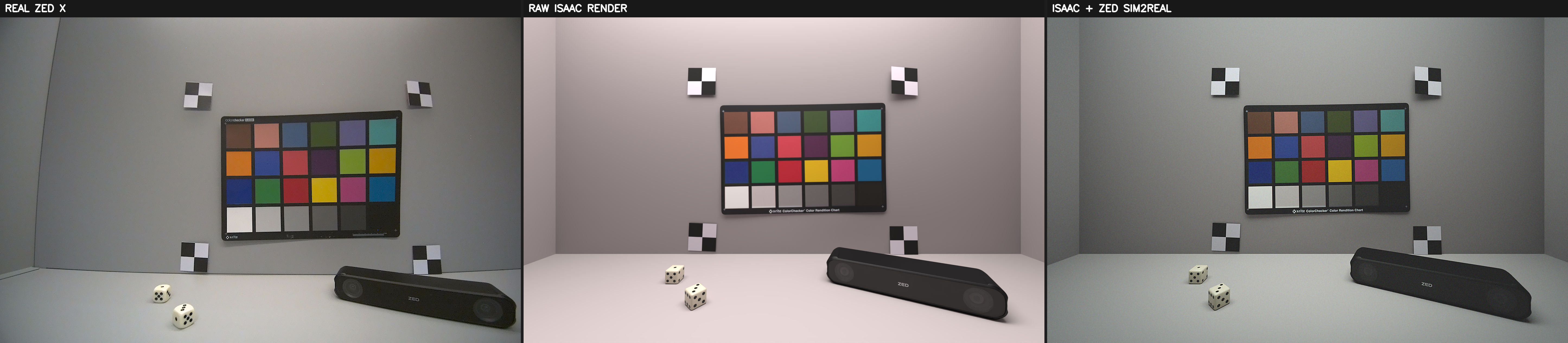
Left: real ZED X. Middle: raw Isaac™ Sim render. Right: the same render with the ZED Sim2Real model applied.
Choosing a data path
Whatever your workflow (sim-to-real validation, robot learning, or dataset generation), there is a data path for it:
The simulated camera streams to the ZED SDK or the ZED ROS 2 Wrapper exactly as a real camera would. The path for software-in-the-loop validation of your full pipeline.
Stereo RGB and depth as in-process GPU tensors, with no SDK and no network. The path for reinforcement and imitation learning.
Capture RGB + ground-truth depth straight from the renderer to disk. The path for quick captures and synthetic datasets.
Only the streaming path involves the ZED SDK and its stereo-matched depth; the other two deliver Isaac™ Sim’s ground-truth renderer depth.
Get started
Get your first simulated ZED streaming in a few steps: install Isaac™ Sim, the ZED SDK, and the ZED Camera extension, then drop a ZED into your scene and press Play.
Install Isaac™ Sim, the ZED SDK, and the ZED Camera extension.
Add a ZED camera to your scene and stream it to the ZED SDK.
Simulate robots and feed the ZED ROS 2 Wrapper with simulated data for smart navigation and beyond.
Browse the source, examples, and releases of the ZED Camera extension on the official StereoLabs repository.
This is documentation for the ZED Camera extension >= 5.0.0, which targets NVIDIA® Isaac™ Sim 6.0 (Kit 110.1.2). Extension 4.x targets Isaac™ Sim 5.0, 3.x targets 4.5, and 2.x targets 4.0; see the compatibility table.
You can find the documentation for older versions here.