News
Sep 16, 2022.Getting Started with ROS 2 on Jetson AGX Orin™
The new Jetson AGX Orin™ from NVIDIA® is the ideal platform for edge AI and autonomous robotics. Learn how to get started with ROS 2 on the Jetson AGX Orin™.
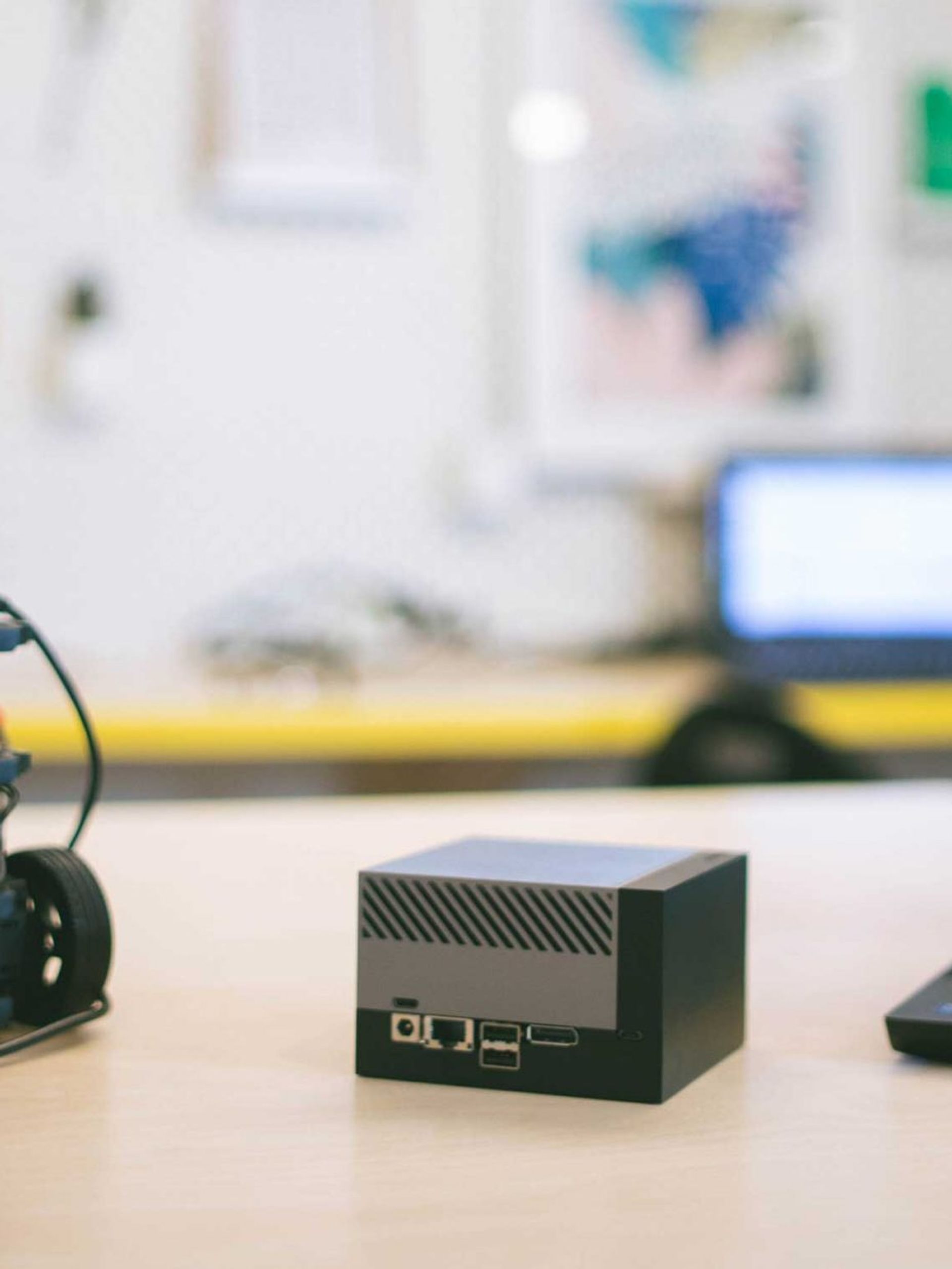
The new Jetson AGX Orin™ from NVIDIA® is the ideal platform for edge AI and autonomous robotics. Learn how to get started with ROS 2 on the Jetson AGX Orin™.
The performance of the new Jetson AGX Orin™ unlocks capabilities such as processing 3D data coming from multiple ZED 2i Depth Cameras, making it the ideal combination for autonomous robotics and edge analytics solutions. It is now available for purchase at the Stereolabs store.
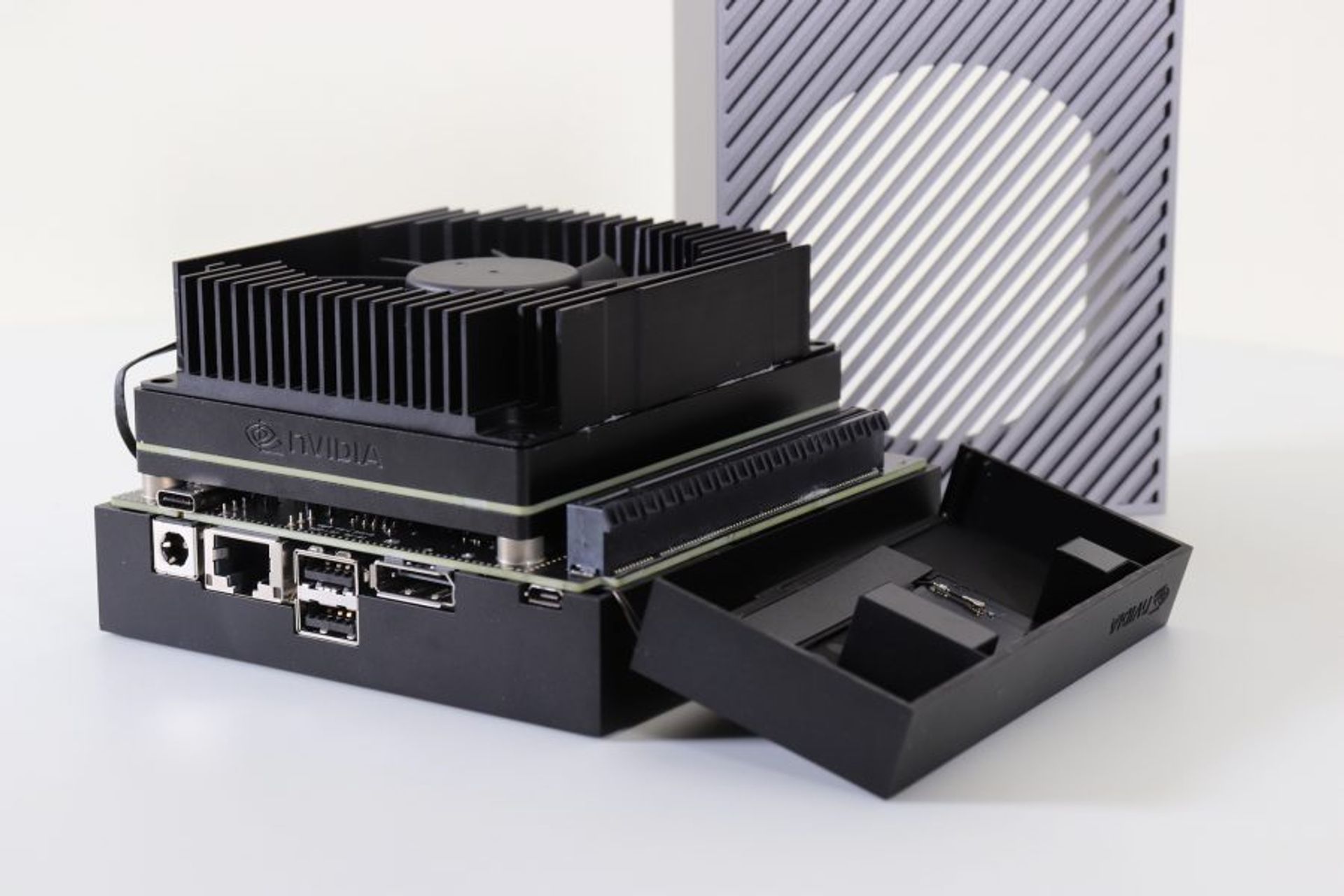
NVIDIA Jetson AGX Orin
Reading this article you will learn how to make the Jetson AGX Orin ready to control a robot and make it perceive the world in 3D by installing ROS 2 Foxy Fitzroy standalone or inside a Docker container. You will also learn how to use the latest NVIDIA Jetpack SDK 5.0.2 which introduces Jetson Linux 35.1, the first Linux for Tegra operating system based on Ubuntu 20.04.
Before installing ROS 2 you must first install the latest ZED SDK for NVIDIA Jetpack 5.0.2 if you have not already done it. You can download the installer from the developer section of the Stereolabs website.
You can read our guide to make the Jetson AGX Orin ready for the first boot.
Open a terminal console and enter the following commands
cd Downloads
chmod +x ZED_SDK_Tegra_L4T<os_ver>_v<sdk_ver>.run
./ZED_SDK_Tegra_L4T<os_ver>_v<sdk_ver>.run
Replace <os_ver> and <sdk_ver> with the correct values of the name of the file that you downloaded. When the process is completed you can install ROS 2.
ROS 2 is the new generation of the Robotic Operating System framework. ROS 2 Foxy Fitzroy is not the latest LTS distribution, ROS 2 Humble Hawksbill has been recently released, but it requires Ubuntu 22.04 for the binary installation and the latest Jetson Linux is based on Ubuntu 20.04. When NVIDIA releases CUDA, CUDNN, and TensorRT for Ubuntu 22.04, we will also release the ZED SDK for the latest OS version, and provide a guide to creating a Docker container to run ROS 2 Humble on Jetson AGX Orin.

ROS 2 Foxy
Make sure you have a locale that supports UTF-8
locale  # check for UTF-8

sudo apt update && sudo apt install locales
sudo locale-gen en_US en_US.UTF-8
sudo update-locale LC_ALL=en_US.UTF-8 LANG=en_US.UTF-8
export LANG=en_US.UTF-8

locale  # verify settings
You need to add the ROS 2 apt repositories to your system
sudo apt update && sudo apt install curl gnupg2 lsb-release
sudo curl -sSL https://raw.githubusercontent.com/ros/rosdistro/master/ros.key -o /usr/share/keyrings/ros-archive-keyring.gpg
Add the repository to your sources list
echo "deb [arch=$(dpkg --print-architecture) signed-by=/usr/share/keyrings/ros-archive-keyring.gpg] http://packages.ros.org/ros2/ubuntu $(source /etc/os-release && echo $UBUNTU_CODENAME) main" | sudo tee /etc/apt/sources.list.d/ros2.list > /dev/null
Update your apt repository caches after setting up the repositories
sudo apt update
ROS 2 packages are built on frequently updated Ubuntu systems. It is always recommended that you ensure your system is up to date before installing new packages
sudo apt upgrade
Install the packages useful for a robotic platform
sudo apt install ros-foxy-ros-base
Automatically source the environment setup script every time a new shell is launched. These commands will do that for you.
Bash shell
echo "source /opt/ros/foxy/setup.bash" >> ~/.bashrc
source ~/.bashrc
zsh shell
echo "source /opt/ros/foxy/setup.zsh" >> ~/.zshrc
source ~/.zshrc
Install the dependencies to build packages
sudo apt update && sudo apt install -y build-essential cmake git libbullet-dev python3-colcon-common-extensions python3-flake8 python3-pip python3-pytest-cov python3-rosdep python3-setuptools python3-vcstool wget
Initialize rosdep
sudo rosdep init
rosdep update
The ZED ROS 2 Wrapper is a ready package that allows integrating the ZED SDK capabilities into the ROS 2 world. The ZED ROS Wrapper is open source and the code is available on GitHub.
mkdir -p ~/ros2_ws/src
cd ~/ros2_ws/src/
git clone --recursive https://github.com/stereolabs/zed-ros2-wrapper.git
cd ..
rosdep install --from-paths src --ignore-src -r -y
colcon build --symlink-install --cmake-args=-DCMAKE_BUILD_TYPE=Release
Automatically source the development environment setup script every time a new shell is launched:
Bash shell
cd ~/ros2_ws/
echo source $(pwd)/install/local_setup.bash >> ~/.bashrc
source ~/.bashrc
zsh shell
cd ~/ros2_ws/
echo "source $(pwd)/install/local_setup.zsh" >> ~/.zshrc
source ~/.zshrc
If you want to test how ROS 2 works on the Jetson AGX Orin, we provide a full set of examples and tutorials
cd ~/ros2_ws/src/
git clone https://github.com/stereolabs/zed-ros2-examples.git
cd ../
rosdep install --from-paths src --ignore-src -r -y colcon build --symlink-install --cmake-args=-DCMAKE_BUILD_TYPE=Release
source ~/.bashrc
Note: using the flag --recursive with the git clone command is really important to install the zed-ros2-interfaces repository as a sub-module and so adding all the custom messages required by the ZED ROS 2 Wrapper.
You can find the documentation of the ZED ROS 2 Wrapper and the tutorials online on the Stereolabs documentation website.
There is an issue with the default version of the function CameraPublisher::getNumSubscribers available in the binary version of the image_transport package preventing the correct counting of the number of nodes subscribing one of the topics published by an image_transport::CameraPublisher object.
We suggest installing the version v3.0.0, published on 2021-05-26, that contains the fix for this issue. Please note that earlier or later versions do not work as expected.
To install the latest version from sources:
cd ~/ros2_ws/src # Access the source folder of your colcon workspace
git clone https://github.com/ros-perception/image_common.git -b ros2 # clone the "ros" branch of the "image_common" repository
cd <colcon_workspace> # Go back to the root of your colcon workspace
colcon build --symlink-install # Compile everything and install
Close the console and re-open it to apply the modifications.
The image_transport_plugins package is not correctly working with ROS 2 Foxy (see here, here, here, and here). We suggest you remove it to avoid many annoying warning messages until the ROS 2 developers fix it or use this workaround:
sudo apt remove ros-foxy-image-transport-plugins ros-foxy-compressed-depth-image-transport ros-foxy-compressed-image-transport
Docker containers let you run codes isolated from the host machine keeping it clean and avoiding version conflicts. Here we discuss how to create a Docker image with ZED SDK and ROS 2 Foxy for Jetson AGX Orin.
The Dockerfile contains the set of commands that are used to build a Docker image. By clicking on the link below you can download the Dockerfile ready to create a Docker image based on Jetson Linux v35.1, with preinstalled ROS 2 Foxy, the ZED SDK v3.7.7, and the ZED ROS 2 Wrapper:
Below we illustrate all the steps required to create the Dockerfile.
An NVIDIA container as a parent container to build the docker image is required. NVIDIA provides multiple containers for Jetson boards. For this docker image, we use the NVIDIA L4T JetPack Container that containerizes all the accelerated libraries included in the JetPack SDK v5.0.2 that are required by the ZED SDK v3.7.7.
Note that starting with the release r34.1 of Jetson-Linux the l4t-base container will not include CUDA, CuDNN, and TensorRT.
Install the ZED SDK with JetPack 5.0.2 (L4T 35.1) support:
ARG L4T_MINOR_VERSION=1.0

# https://catalog.ngc.nvidia.com/orgs/nvidia/containers/l4t-jetpack FROM nvcr.io/nvidia/l4t-jetpack:r35.1.0

# After using an arg in a `FROM` line, the arg is lo
ARG L4T_MINOR_VERSION=1.0
ARG ZED_SDK_MAJOR=3
ARG ZED_SDK_MINOR=7
ARG JETPACK_MAJOR=5
ARG JETPACK_MINOR=0

# This environment variable is needed to use the streaming features on Jetson inside a container
ENV LOGNAME root
ENV DEBIAN_FRONTEND noninteractive

# Install dependencies
RUN apt-get update -y && apt-get install -y sudo apt-utils apt-transport-https lsb-release udev usbutils git #Install ZED SDK
RUN apt-get update -y && apt-get install -y --no-install-recommends wget less cmake curl gnupg2 \
    build-essential python3 python3-pip python3-dev python3-setuptools libusb-1.0-0-dev -y && \
    sudo pip install protobuf && \
    echo "# R35 (release), REVISION: ${L4T_MINOR_VERSION}" > /etc/nv_tegra_release ; \
    wget -q --no-check-certificate -O ZED_SDK_Linux_JP.run https://download.stereolabs.com/zedsdk/${ZED_SDK_MAJOR}.${ZED_SDK_MINOR}/jp${JETPACK_MAJOR}${JETPACK_MINOR}/jetsons && \
    chmod +x ZED_SDK_Linux_JP.run ; ./ZED_SDK_Linux_JP.run silent skip_tools && \
    rm -rf /usr/local/zed/resources/* && \
    rm -rf ZED_SDK_Linux_JP.run && \
    rm -rf /var/lib/apt/lists/*

# This symbolic link is needed to use the streaming features on Jetson inside a container
RUN ln -sf /usr/lib/aarch64-linux-gnu/tegra/libv4l2.so.0 /usr/lib/aarch64-linux-gnu/libv4l2.soSince the latest Jetson Linux is based on Ubuntu 20.04, ROS 2 Foxy can be directly installed by using the binaries. Set up the system and install ROS-Base which is the bare bones with the minimum required packages and no GUI tools, if you choose to install ROS 2 with GUI tools, demos, and tutorials you can replace ros-foxy-ros-base with ros-foxy-desktop.
#ROS system setup
ENV LANG en_US.UTF-8
ENV LC_ALL en_US.UTF-8
ENV ROS_DISTRO foxy

RUN apt-get update -y && apt-get install --no-install-recommends -y software-properties-common && \
    add-apt-repository universe && \
    curl -sSL https://raw.githubusercontent.com/ros/rosdistro/master/ros.key -o /usr/share/keyrings/ros-archive-keyring.gpg && \
    /bin/bash -c 'echo "deb [arch=$(dpkg --print-architecture) signed-by=/usr/share/keyrings/ros-archive-keyring.gpg] http://packages.ros.org/ros2/ubuntu $(source /etc/os-release && echo $UBUNTU_CODENAME) main" | tee /etc/apt/sources.list.d/ros2.list > /dev/null' && \
    rm -rf /var/lib/apt/lists/* && \
    apt-get clean

RUN apt-get update -y && apt-get install -y ros-foxy-ros-base && \
    /bin/bash -c 'source /opt/ros/foxy/setup.bash' && \
    rm -rf /var/lib/apt/lists/*

Setup the ROS Workspace

Once you have ROS installed, you can set up the ROS workspace.

#Setup ROS Workspace
ENV ROS_WS /opt/ros2_ws

RUN mkdir -p ${ROS_WS}/src && \
    cd ${ROS_WS}/ && \
    apt-get update -y && apt-get install --no-install-recommends python3-rosdep python3-colcon-common-extensions -y && \
    rosdep init && rosdep update && \
    rosdep install --from-paths src --ignore-src -y && \
    colcon build --symlink-install && \
    . install/local_setup.sh
Install the zed-ros2-wrapper package from Github. Remember to automatically source the environment setup script every time a new shell is launched by including source commands into the file /root/.bashrc.
It is important to apply the patch to the image_transport package as described here in order to correctly subscribe to the ZED ROS 2 Wrapper image topics.
#Install ZED Wrapper and apply the image_transport patch
ENV NVIDIA_DRIVER_CAPABILITIES all
ENV NVIDIA_VISIBLE_DEVICES all

RUN cd ${ROS_WS}/src ; git clone --recursive https://github.com/stereolabs/zed-ros2-wrapper.git && \
    git clone https://github.com/ros-perception/image_common.git --branch 3.0.0 --single-branch && \
    cd ${ROS_WS} ; apt-get update -y && \
    . /opt/ros/foxy/setup.sh && \
    rosdep install --from-paths ${ROS_WS}/src --ignore-src -r -y && \
    rm -rf /var/lib/apt/lists/* && \
    colcon build --symlink-install --cmake-args -DCMAKE_LIBRARY_PATH=/usr/local/cuda/lib64/stubs -DCMAKE_CXX_FLAGS="-Wl,--allow-shlib-undefined"

RUN echo 'source /opt/ros/foxy/setup.bash' >> /root/.bashrc && \
    echo 'source ${ROS_WS}/install/local_setup.bash' >> /root/.bashrc

RUN apt-get autoremove

WORKDIR ${ROS_WS}
Note that the ZED ROS 2 wrapper requires the CUDA compiler during docker build. You must then modify the file /etc/docker/daemon.json before building the container:
sudo gedit /etc/docker/daemon.json
Modify the file and save it:
{
  "runtimes": {
    "nvidia": {
      "path": "nvidia-container-runtime",
      "runtimeArgs": []
    }
  },
  "default-runtime": "nvidia"
}
You must restart the Docker service before building the container to apply:
sudo systemctl daemon-reload
sudo systemctl restart docker
Remember to add the current user to the docker group to run the build command without root privileges:
sudo usermod -aG docker $USER
Log out and log in to apply the setting.
Now you can create a docker image with an appropriate tag
docker build -t zed-3.7-ros2-foxy-jetson-jp5.0.2 .
That’s it you’ve created the docker image with ROS 2, the latest ZED SDK, and a working ROS 2 Foxy environment.
docker run -it --rm --net=host --runtime nvidia -e DISPLAY=$DISPLAY -e NVIDIA_DRIVER_CAPABILITIES=all -v /tmp/.X11-unix/:/tmp/.X11-unix -v ${HOME}/.Xauthority:/root/.Xauthority --privileged -e DISPLAY=$DISPLAY --gpus all zed-3.7-ros2-foxy-jetson-jp5.0.2You can now start using Stereolabs ZED cameras with ROS 2 on a Docker container.
For more information about using the ZED ROS 2 Wrapper you can read the online documentation.
If you need help or you have a question. you can contact us by email or write a post on our forum.