
ROS 2 - Custom Stereo Rig
The ROS 2 Wrapper supports custom stereo rigs created with a dual ZED X One camera setup.
You must follow the Dual ZED X One - Stereo guide to properly connect and configure the cameras for stereo operations.
Before using the Custom Stereo Rig with ROS 2, you must calibrate the system to ensure accurate depth perception and 3D reconstruction.
You can use the OpenCV ZED Calibration Tool to perform the calibration with a guided procedure.
Once the custom stereo rig is calibrated, ensure that the ZED ROS 2 Wrapper can access the calibration parameters by copying the SNxxxxxxx.conf file to the /usr/local/zed/settings/ folder, or by setting the general.optional_opencv_calibration_file parameter to the path of your OpenCV calibration file.
Launching the ZED ROS 2 Wrapper with a Custom Stereo Rig #
When launching the ZED ROS 2 node, set virtual as the camera model and specify the serial numbers or camera IDs of both ZED X One cameras in the launch file parameters. For example:
ros2 launch zed_wrapper zed_camera.launch.py camera_model:=virtual camera_ids:=[0,1]
or
ros2 launch zed_wrapper zed_camera.launch.py camera_model:=virtual camera_serial_numbers:=[123456789,987654321]
The ZED ROS 2 Wrapper internally uses the sl::generateVirtualStereoSerialNumber ZED SDK API function to create a unique serial number identifier for the custom stereo rig based on the serial numbers of the two connected cameras. This allows the node to correctly identify and utilize the stereo configuration during operation.
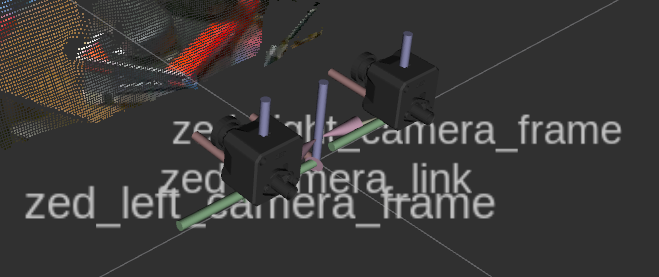
📌 Note: It is not required to pass information about the baseline distance between the two cameras to the launch file or to the node, as this information is automatically retrieved from the calibration file and used by the ZED ROS 2 Wrapper node to set up the TF frames accordingly.
For more information on the available parameters and configurations, refer to the general ZED ROS 2 Wrapper Documentation.